

WordPress Form Notifications: Send Every Lead to Telegram, Slack and WhatsApp in Seconds


A visitor fills out your contact form at 2:14 p.m. asking for a quote. Your email notification lands in a crowded inbox, or in spam. By the time someone notices it, the prospect has already called your competitor.
Most WordPress sites still rely on email as the only channel for form notifications. It is slow, easy to miss, and hard to monitor. If you run a service business, an agency, a clinic, a real estate site or an online school, every missed submission is lost revenue.
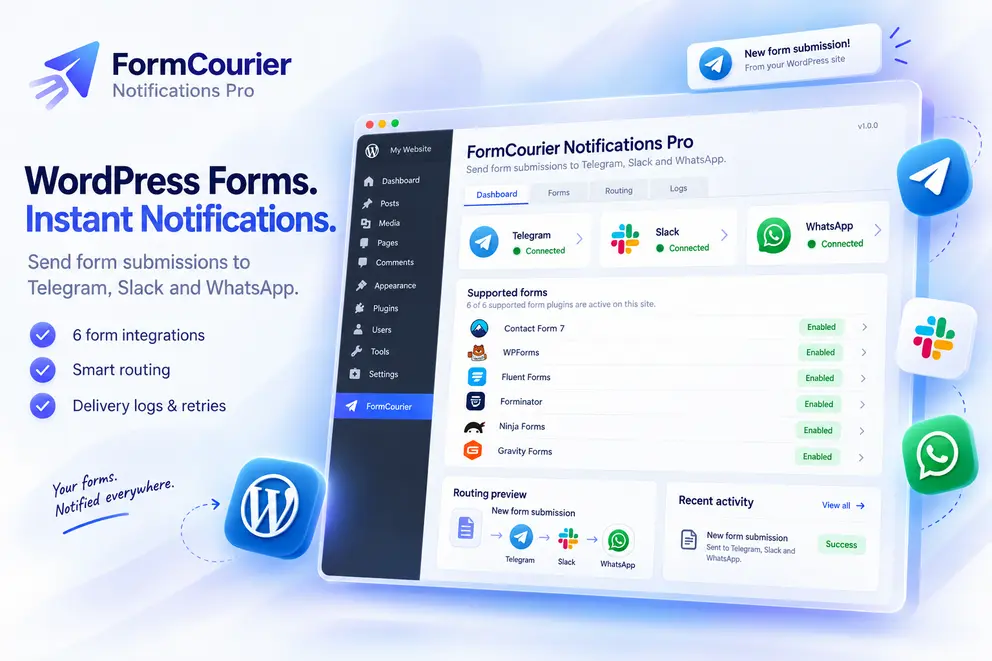
FormCourier Notifications Pro fixes this. It is a WordPress notification plugin that sends form submissions to the messengers your team already checks all day: Telegram, Slack and WhatsApp.
The Problems With Email-Only WordPress Contact Form Notifications
1. Leads get buried or filtered. Form emails sent from your server often land in spam, promotions or a shared inbox nobody watches. You only find out when the customer complains.
2. Nobody knows who owns the lead. A message sitting in info@ is everyone’s job and no one’s. Response time suffers.
3. Different forms need different people. Sales inquiries should go to sales, support requests to support, and high-budget requests to the owner. Email rules for this are clumsy and usually live outside WordPress.
4. You can’t prove what was delivered. When a customer says “I sent you a request,” you have no reliable record of whether a notification ever went out.
5. Temporary failures lose data. A network hiccup or an API rate limit can silently drop a notification.
How FormCourier Notifications Pro Solves Each Problem
Instant alerts where your team already works
Instead of relying on an inbox, the plugin pushes a notification the moment a form is submitted:
- Telegram: a fast, free channel that works well for founders, small teams and on-call managers. If you have been searching for a Telegram plugin for WordPress or a way to connect WordPress to Telegram, this is a form-focused solution that needs no coding. You can add several Telegram destinations, such as a private chat, a group or a channel.
- Slack: send leads to a team channel through Incoming Webhooks. It is a clean Slack WordPress integration that lets the whole team see, discuss and claim a lead in one place. Multiple encrypted Slack destinations are supported.
- WhatsApp: the most-used messenger in many markets. The plugin uses the official WhatsApp Cloud API, so you get a proper WordPress WhatsApp integration rather than a fragile workaround. It supports free-form messages within the 24-hour customer-service window and approved templates for production use.
You can run one channel or all three at the same time.
Works with the form plugin you already have
There is no need to rebuild your forms. FormCourier Notifications Pro supports six popular builders:
- Contact Form 7
- WPForms
- Fluent Forms
- Forminator
- Ninja Forms
- Gravity Forms
Forms are discovered automatically, and so are their fields. You pick a form, choose where its submissions should go, and you’re done.
Send each lead to the right person
This is where the plugin goes well beyond a basic notification plugin.
- Per-form routing: the “Sales” form goes to the sales channel, the “Support” form to support.
- Multi-destination delivery: one submission can reach several Telegram, Slack or WhatsApp destinations at once.
- Default destination fallback: a form without its own route still gets delivered.
- Advanced Routing: build rules with multiple conditions, using ALL (AND) or ANY (OR) logic. For example: if “Budget” is above a threshold, or “Service” equals “Enterprise”, also notify the owner. You can choose to add destinations or replace the form’s usual ones, set rule priority, and stop processing when a rule matches.
Field values from the form drive the rules, so your routing follows your business logic rather than a fixed setup.
Messages that look the way you want
Each notification is built from a template. Use the default layout, which includes the form name and all submitted fields with readable labels, or write your own per form using placeholders such as {form_name}, {all_fields} and {field:your_field}. Your team sees the lead details at a glance without opening the admin panel.
No more silently lost notifications
Temporary problems happen: network errors, rate limits, provider outages. FormCourier Notifications Pro has an automatic retry queue that retries temporary failures after 1, 5 and 15 minutes. Permanent problems, such as wrong configuration or permissions, are flagged rather than retried endlessly, and failed deliveries can be resent manually with one click.
A full delivery log you can trust
Every notification is recorded, so you always know what happened.
- Delivery details: HTTP status, provider response, last error, retry state, attempts and submission ID
- Filters by channel, form plugin, status, destination and date range, plus text search
- CSV export of the filtered results, hardened against spreadsheet formula injection
- Optional automatic cleanup of logs older than 30 days
For WhatsApp you also get signed webhook handling with sent, delivered, read and failed statuses, so you can see whether the message actually reached the person. Built-in diagnostics help you spot expired tokens or missing webhook subscriptions.
Security that respects your credentials
Bot tokens, webhook URLs and access tokens are sensitive. New secrets are stored with AES-256-GCM authenticated encryption, and encryption fails closed rather than falling back to plaintext. Older credentials stay readable and migrate when you re-enter them.
Ready for international teams
The plugin ships with Russian, Ukrainian, German, Polish and Italian localization, so your team can manage it in their own language.
Who Gets the Most Value?
- Agencies and freelancers managing client sites: route each client’s forms to the client’s own channel.
- Service businesses such as clinics, law firms, repair, cleaning and beauty: answer inquiries while the customer is still interested.
- Real estate and travel: send high-value inquiries straight to the right agent’s phone.
- Online schools and event organizers: track registrations and questions in a team Slack channel.
- Small teams without a CRM: turn Telegram or Slack into a simple lead inbox.
What This Means in Practice
| Before | After |
|---|---|
| Lead arrives by email, maybe in spam | Lead arrives as a message on the phone within seconds |
| One shared inbox for everything | Each form goes to the right person or team |
| Failed notification is lost | Automatic retries, manual resend and full logs |
| No proof of delivery | Detailed logs and WhatsApp delivery statuses |
| Email is the only channel | Telegram, Slack and WhatsApp side by side |
Quick Setup
- Install and activate FormCourier Notifications Pro (WordPress 6.0+, PHP 7.4+).
- Add your Telegram, Slack and/or WhatsApp destinations and run the connection test.
- Open Forms and choose destinations for each form.
- Optionally add Advanced Routing rules.
- Submit a test form and check the Logs screen.
Most sites can be up and running in a few minutes. WhatsApp requires a Meta WhatsApp Cloud API account.
Stop Losing Leads to a Slow Inbox
Every minute a lead waits is a minute your competitor can use. FormCourier Notifications Pro puts new submissions where your team will see them straight away, sends them to the right people, and keeps a reliable record of everything.
 FAQ