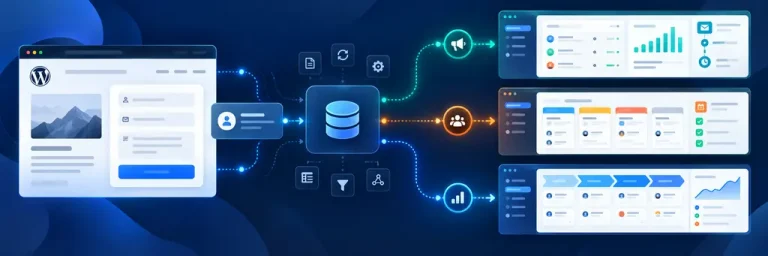
A CRM helps companies store customer and inquiry information in one workspace. For a WordPress site, such a system is especially useful when forms regularly generate new inquiries: data can be sent to the CRM automatically instead of being transferred manually from emails or the website’s admin panel.
At the same time, WordPress and a CRM serve different purposes. The website collects inquiries, while the CRM is used for further work with contacts, submissions, and internal processes. These two parts can be connected through an integration plugin such as FormCourier CRM Pro, which sends data from a selected WordPress form to the connected CRM.
What Is a CRM System in Simple Terms
CRM stands for Customer Relationship Management. Put simply, a CRM system in simple terms is software where a company stores customer data, records inquiries, and organizes further work with them.
The question “what is a CRM system” often comes from people who previously managed inquiries in spreadsheets, email, or messaging apps. The main difference with a CRM is that information is no longer scattered across different channels: contact details, interaction history, and work-related activities are collected in one system.
Even more simply, a CRM in simple terms is a workspace for managing customers and inquiries. It does not necessarily replace every other service a company uses, but it helps organize information and make the inquiry-handling process more transparent.
A CRM does not automatically receive data from a website by itself. To send WordPress form submissions to the system without manual copying, an integration between the form and the CRM is required.
Why Businesses Need a CRM System
To understand why a business needs a CRM system, imagine a website that receives new inquiries every day. Without centralized management, some submissions may remain in email, others in messaging apps, and others in employee spreadsheets. A CRM helps bring this information together in one place and establish a consistent workflow for handling inquiries.
The system can store contact details, record interaction history, show the current status of work, and allow information to be shared between employees without repeatedly entering the same data.
The question “what is a CRM system used for” is also often related to automation. For example, a website inquiry can be sent directly to the CRM through an integration, so an employee does not have to manually copy the name, phone number, email, and message from a WordPress form.
For a website owner, the main value is not simply having a CRM installed, but ensuring that data from the necessary channels reaches the system consistently and without unnecessary intermediate steps.
What Functions Does a CRM System Perform
The functions of a CRM system depend on the specific product, but they usually involve storing customer data and organizing work with inquiries. A CRM helps structure the information a company receives from potential and existing customers.
The main functions of a CRM system usually include:
- storing contact details;
- tracking inquiries and interaction history;
- managing statuses and stages;
- creating and monitoring related tasks;
- searching and filtering information;
- reports and analytics, if supported by the selected system.
It is important to understand that CRM system functionality and the functions of a WordPress integration plugin are not the same thing. The CRM handles customer-related processes, while the integration plugin is responsible for sending data from the website to the external system. The difference becomes clear when the tasks are compared directly:
| Task | Handled by |
|---|---|
| Receiving data from a WordPress form | Integration plugin (FormCourier CRM Pro) |
| Mapping form fields to CRM fields | Integration plugin |
| Selecting the delivery mode (immediate / background / queue) | Integration plugin |
| Logging and delivery diagnostics | Integration plugin |
| Storing customer records and inquiry history | CRM |
| Managing statuses and deal stages | CRM |
| Assigning tasks to employees | CRM |
| Customer reports and analytics | CRM |
For example, FormCourier CRM Pro receives data from the selected WordPress form, maps the fields, and sends the information to the connected CRM. Further assignment of the inquiry, status changes, and other actions are then handled by the CRM itself.

What Working with a CRM Looks Like in Practice
Working with a CRM is not just about opening a customer record. In a typical scenario, an employee receives a new inquiry, sees the contact details and information submitted through the form, and then performs the actions required by the company’s workflow.
Working in a CRM system is a step-by-step process: a new inquiry enters the system, an employee reviews the data, contacts the customer, records the result, and, if necessary, changes the status or passes the inquiry to another employee.
Here is a simplified example:
| Stage | What Happens | Where It Happens |
|---|---|---|
| A visitor submits a form | WordPress receives the name, phone number, email, and message | Website |
| The data is transferred | The integration plugin processes the submission | WordPress |
| The information reaches the CRM | Form fields are transferred to the corresponding fields in the system | CRM |
| An employee opens the inquiry | Reviews the data and starts working with it | CRM |
| Further processing | The actions required by the company’s workflow are performed | CRM |
If a user searches for what a CRM looks like, it is useful to distinguish between the interface and the workflow. Different systems have different interfaces, but the basic principle remains similar: customer data and the history of interactions with that customer are at the center of the workflow.
Example of How a CRM System Works with a Website Inquiry
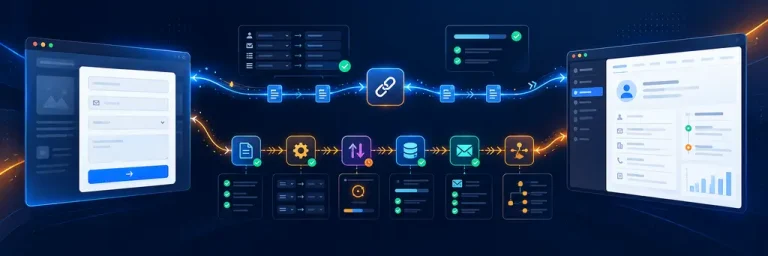
Let’s look at a CRM system example using a standard contact form. A visitor to a WordPress website enters their name, phone number, email, and message. After submission, these values can be automatically transferred to an external CRM through an integration plugin.
With FormCourier CRM Pro, the process works as follows: the administrator selects a supported form plugin and a specific form, connects one CRM, enters the required API credentials, and configures field mapping. After that, data from the selected form can be transferred to the system automatically.
This CRM system workflow example demonstrates the division of responsibilities between the two tools: FormCourier CRM Pro is responsible for receiving and transferring the information, while the CRM itself handles the further processing of the inquiry.
The plugin supports Contact Form 7, WPForms, Fluent Forms, Forminator, Ninja Forms, and Gravity Forms. Supported CRM systems include HubSpot, Bitrix24, Zoho CRM, Pipedrive, NetHunt, KeyCRM, SalesDrive, and KeepinCRM.
In its current configuration, FormCourier CRM Pro works with one selected form and one selected CRM at a time. Parallel routing of multiple forms to different systems is not supported.
Why a WordPress Website Needs a CRM System
A CRM system for a website is especially useful when WordPress is used not only as an informational resource but also as a source of customer inquiries. Forms can collect leads, but without integration, this data often has to be transferred manually to the system used by the team. The phrase “website CRM” is not entirely accurate: a CRM does not automatically become part of the website. It is more correct to talk about a connection between WordPress and an external CRM, with data transfer configured between them.
For this connection, FormCourier CRM Pro can use a selected WordPress form and transfer its data to one connected CRM. The plugin supports connection testing, field mapping, immediate sending, background processing, queues, logs, and diagnostic information. If necessary, it can also work with UTM parameters, while gclid and fbclid are handled as additional options. Telegram in FormCourier CRM Pro is used to duplicate incoming form data, not as a system for separate event-based notifications. As a result, WordPress remains the point where inquiries are collected, the CRM serves as the working system for further processing, and the integration plugin transfers data between them.
 FAQ
FAQ